Software · Desktop app
Python Lab
An interactive course that teaches Python to biologists with no programming experience, from the first print() to writing their own lab software. Every lesson is short, ties a concept to bench work, and ends with an exercise that runs real Python on your computer and checks itself, building up to complete tools for sequences, qPCR, growth curves and sequencing reads.
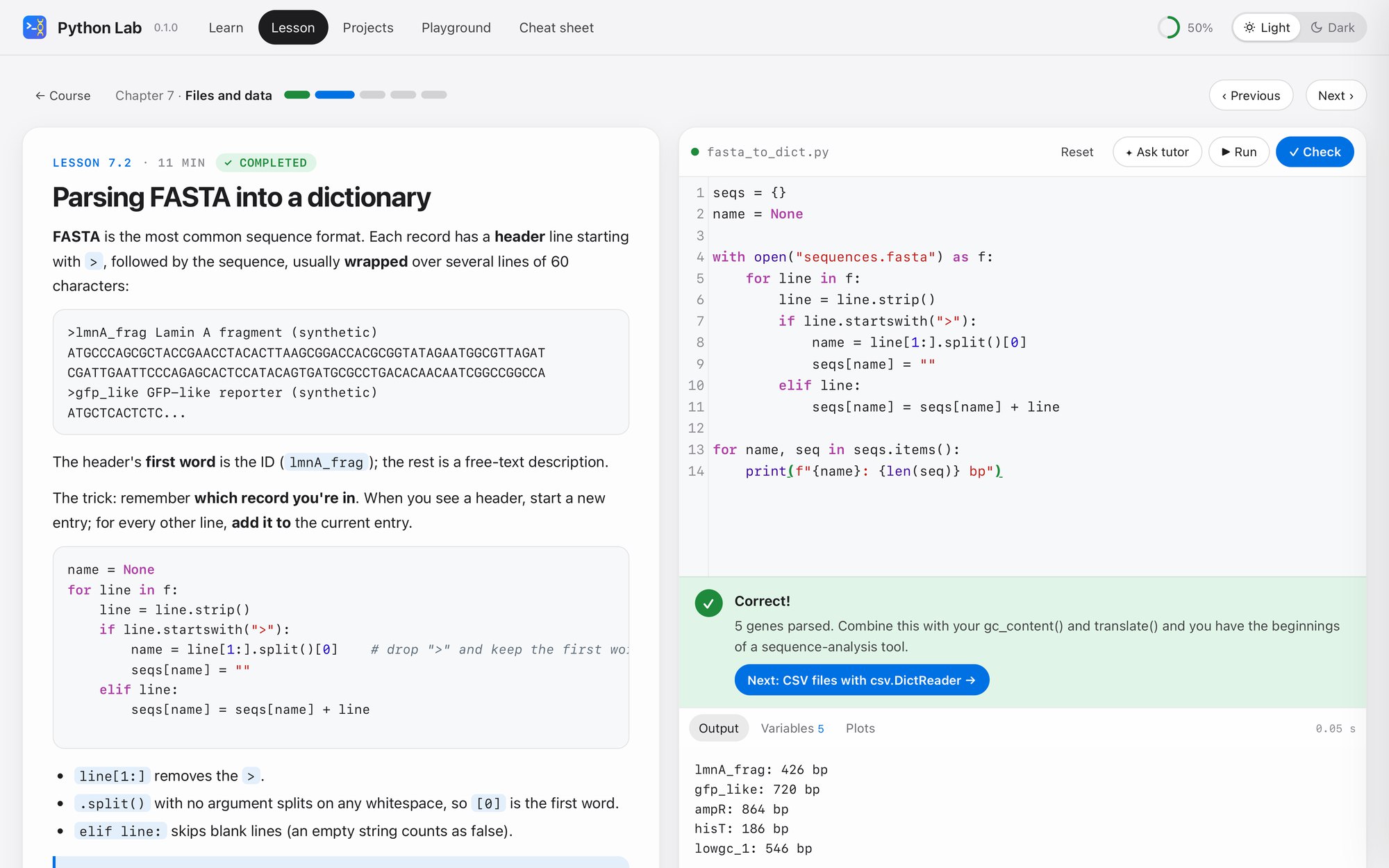
What it does
- 11 chapters from the basics to classes, command-line tools, testing and how a local web tool works
- Each lesson: a short explanation, examples you can run, and an exercise that tells you exactly what to fix
- Errors highlight the line and explain in plain words; step-by-step hints, solutions and walk-throughs
- 7 projects tested on real example data: ORF finder, primer checker, restriction digest, qPCR ΔΔCt report, growth-curve analyzer, codon usage with alternative genetic codes, FASTQ quality filter
- pandas, numpy and matplotlib included: tables, statistics and plots from the first data chapter
- A Playground with example lab files, a one-page cheat sheet, and an optional tutor that gives hints rather than answers
Where it runs
A desktop app. Your code runs on your own computer with Python and its scientific libraries; progress is saved there too. Internet is needed only once, to set up.
Download and install
Download for Mac (0.5 MB). macOS 12 or newer with Python 3.9 or newer (most Macs have it; if not, macOS offers to install it). Free; version 0.1.0.
- Unzip the download and drag Python Lab.app into your Applications folder.
- Double-click it. The app is free and not registered with Apple, so the first time macOS may say it cannot be opened: click Done, open System Settings → Privacy & Security, scroll down and click Open Anyway (on macOS 14 or older, Control-click the app and choose Open).
- The first start installs numpy, pandas and matplotlib for the app (internet needed once, a minute or two). The course then opens in your web browser.
- Closing the browser tab quits the app. Your progress and code stay on your Mac.