Software · Desktop app
PRIDE Packager
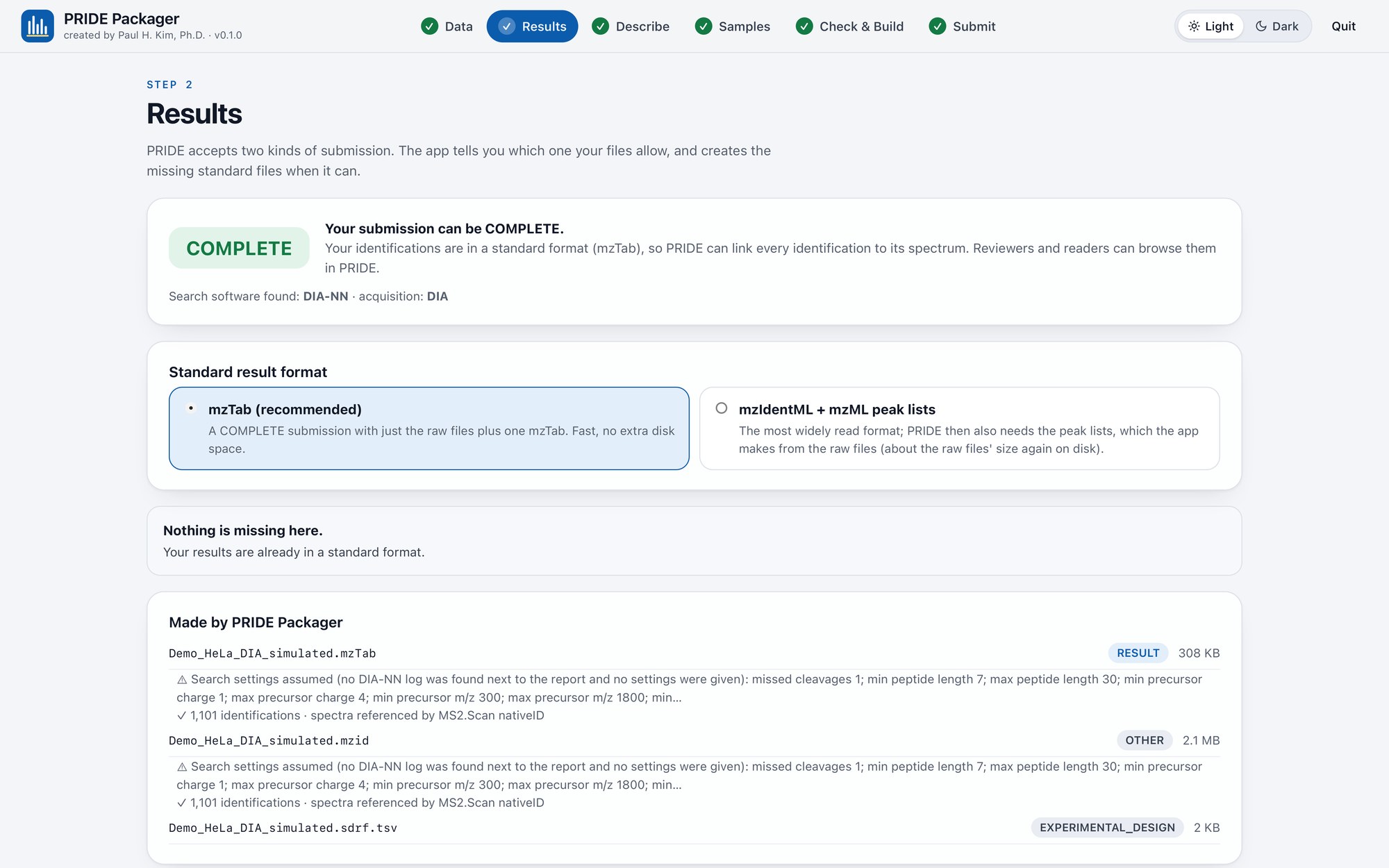
Prepares a proteomics dataset for deposition in PRIDE / ProteomeXchange, step by step. It recognises raw files from every vendor and the output of common search software, works out whether the dataset can be a COMPLETE submission, creates what is missing (mzTab and mzIdentML from a DIA-NN report with every identification pointing at its MS/MS spectrum, mzML peak lists from Thermo raw files, SHA-1 checksums, the submission summary and an SDRF sample sheet), checks everything PRIDE's validator checks, and builds one folder ready to upload with PRIDE's own Submission Tool.
What it does
- Recognises Thermo, Bruker, Sciex, Agilent and Waters raw data, mzML/MGF peak lists, mzIdentML/mzTab, and the output of DIA-NN, MaxQuant, FragPipe, Sage, Spectronaut and Proteome Discoverer
- Reads the instrument model, acquisition date, scan counts and DIA or DDA straight from the raw files
- Turns a DIA-NN report (1.8 to 2.x) into mzTab and mzIdentML, checking that every identification points at a spectrum whose isolation window contains the peptide
- Controlled-vocabulary pickers for species, tissue, cell type, disease, instrument, modifications and experiment type, offline, in the exact form PRIDE's Submission Tool writes
- Drafts the data-processing protocol from the search software's own log, using only facts found in the files
- Builds one folder with PRIDE-safe unique names, hard links instead of copies, checksum.txt, submission.px, an SDRF sample sheet and a README
Where it runs
A desktop app. Your data stay on your computer; large raw files are read where they are, and the app never logs in to PRIDE or uploads anything (you upload the folder with PRIDE's Submission Tool).
Download and install
Download for Mac (1.2 MB). macOS 12 or newer and Python 3.10–3.13 from python.org (the app tells you if it is missing; Anaconda's Python is not used). Free; version 0.1.1.
- Unzip the download and drag PRIDE Packager.app into your Applications folder.
- Double-click it. The app is free and not registered with Apple, so the first time macOS may say it cannot be opened: click Done, open System Settings → Privacy & Security, scroll down and click Open Anyway (on macOS 14 or older, Control-click the app and choose Open).
- The first start installs the Python packages it needs (internet needed once, a minute or two).
- To make mzML peak lists from Thermo .raw files it downloads ThermoRawFileParser the first time that is needed. You upload the finished folder with PRIDE's own Submission Tool.
- The app opens in your web browser. Closing that tab quits the app.