Software · Desktop app
BioCanvas
A scientific-figure studio on your Mac: journal-size artboards, 5,000+ free science icons with their licences tracked, science drawing tools, ready-made templates, and export to vector PDF and SVG.
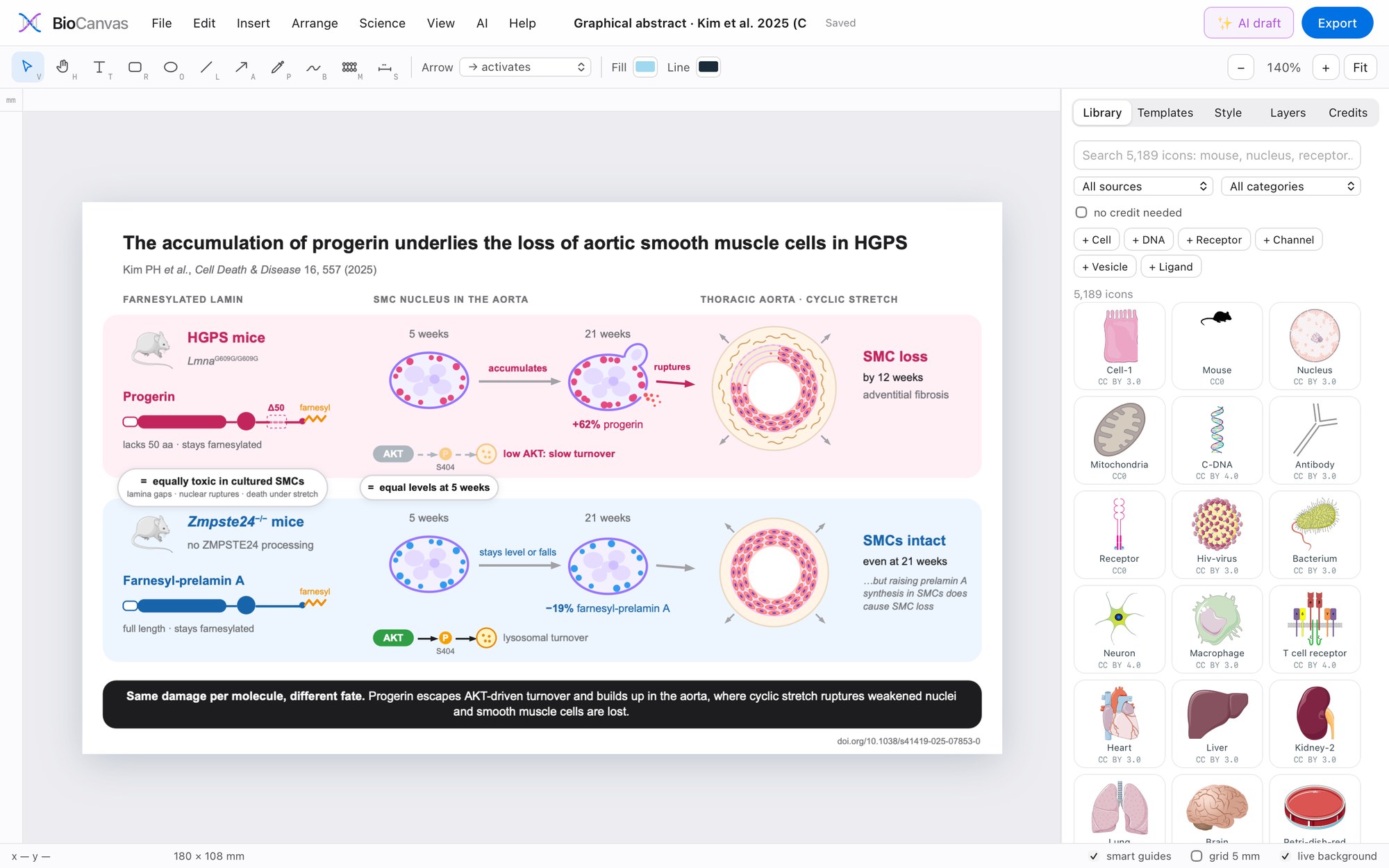
What it does
- Journal-size artboards in millimetres: single and double column, full page, graphical abstract, slide, A4
- 5,000+ free science icons (Bioicons and Reactome), searchable, each with its licence tracked; the Credits tab writes the acknowledgement for your figure legend
- Science tools: lipid bilayer along any path, DNA helix, cell with organelles, receptor, channel, vesicle, ligand, pathway arrows, panel letters and calibrated scale bars
- Templates: signalling pathway, experimental timeline, mouse study design, cell diagram, graphical abstract, western blot layout and a six-panel figure
- Export to vector PDF and SVG (editable in Illustrator), or PNG and TIFF at any resolution
Where it runs
A desktop app. After the free icon libraries download once, it works offline, and your figures stay on your computer.
Download and install
Download for Mac (0.7 MB). macOS 12 or newer and Python 3.10–3.13 from python.org (the app tells you if it is missing; Anaconda's Python is not used). Free; version 1.2.1.
- Unzip the download and drag BioCanvas.app into your Applications folder.
- Double-click it. The app is free and not registered with Apple, so the first time macOS may say it cannot be opened: click Done, open System Settings → Privacy & Security, scroll down and click Open Anyway (on macOS 14 or older, Control-click the app and choose Open).
- The first start installs the Python packages it needs (internet needed once, a minute or two).
- It then downloads the free science-icon library once (about 230 MB, a few minutes). The optional AI drafts use Claude Code with your own Claude account.
- The app opens in your web browser. Closing that tab quits the app.